


Product
What Boardmarks is
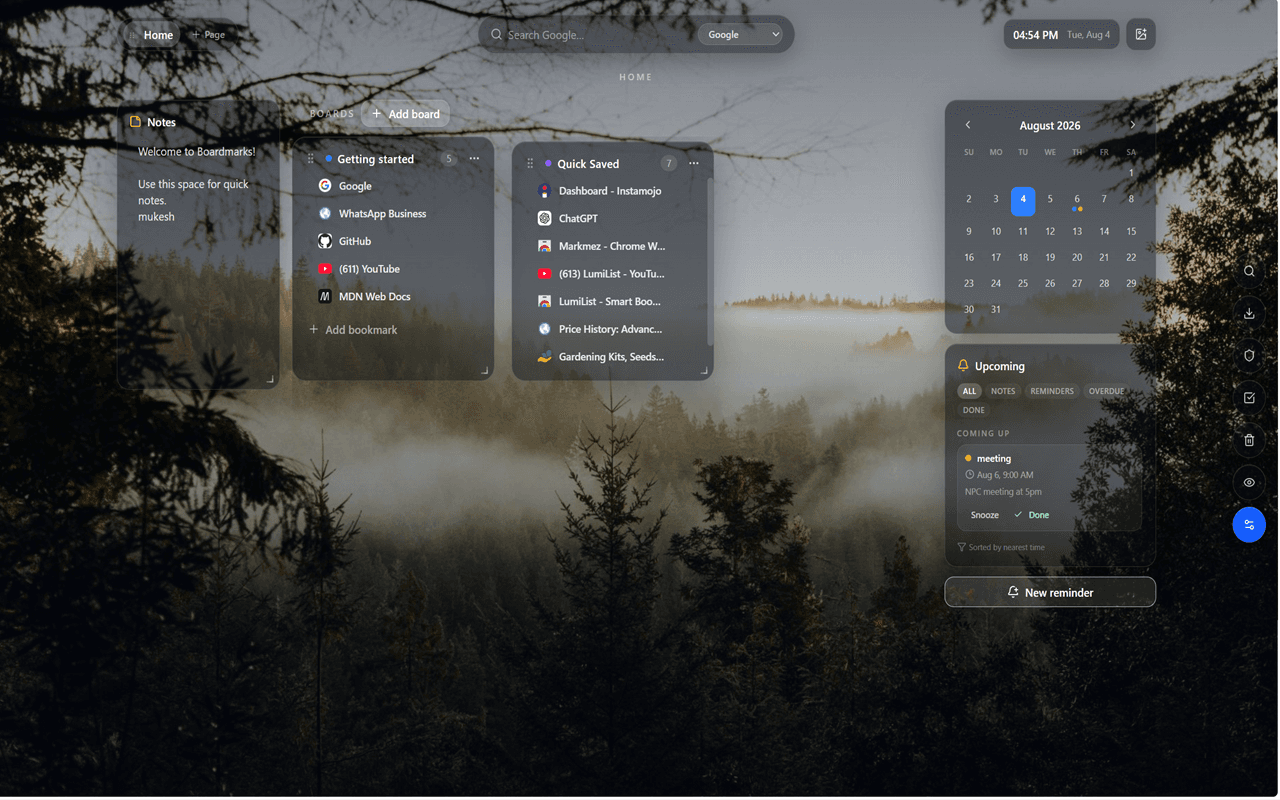
A visual Chrome bookmark manager and New Tab workspace. Boards for your links, plus todos, habits, notes, and reminders on the same page — so research, planning, and saved sites stay in one place.
Organize bookmarks, plan your day, track habits, write notes and manage reminders without leaving Chrome.
Free trial · no card required
Supports
Includes
Chrome's New Tab, rebuilt as a calm workspace for bookmarks and daily work.
Product
A visual Chrome bookmark manager and New Tab workspace. Boards for your links, plus todos, habits, notes, and reminders on the same page — so research, planning, and saved sites stay in one place.
Audience
People who live in Chrome tabs: students and professionals drowning in open windows, anyone tired of nested bookmark folders, and teams that want a local-first start page without uploading every link first.
Included
Visual boards, Quick Save for one tab or all tabs, Today and Upcoming tasks, habit streaks, notes, reminders, and custom wallpapers. Seven-day free trial from the extension — no card required — then Pro monthly, yearly, or lifetime.
Boardmarks replaces deep folder trees with visual pages and boards. Group links by project, client or topic, then drag them between boards as your work changes.
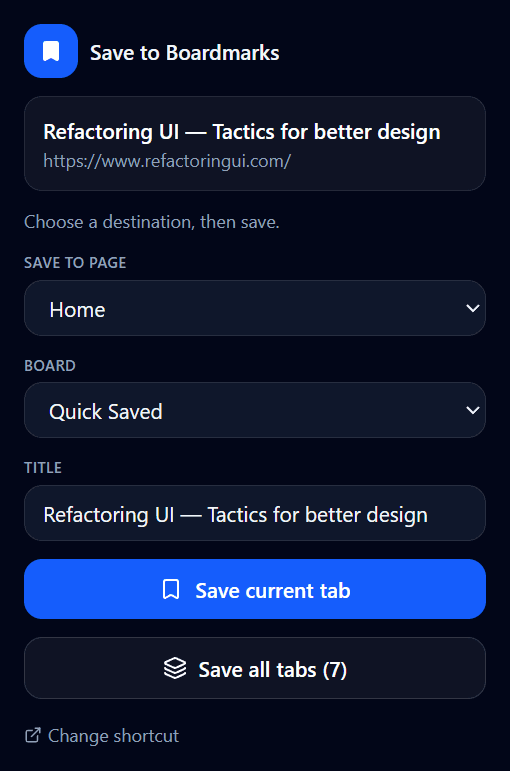
Click the Boardmarks icon to save the page you are on, or capture an entire research session at once. Choose the page and board first, adjust the title, and the link lands exactly where you expect it.
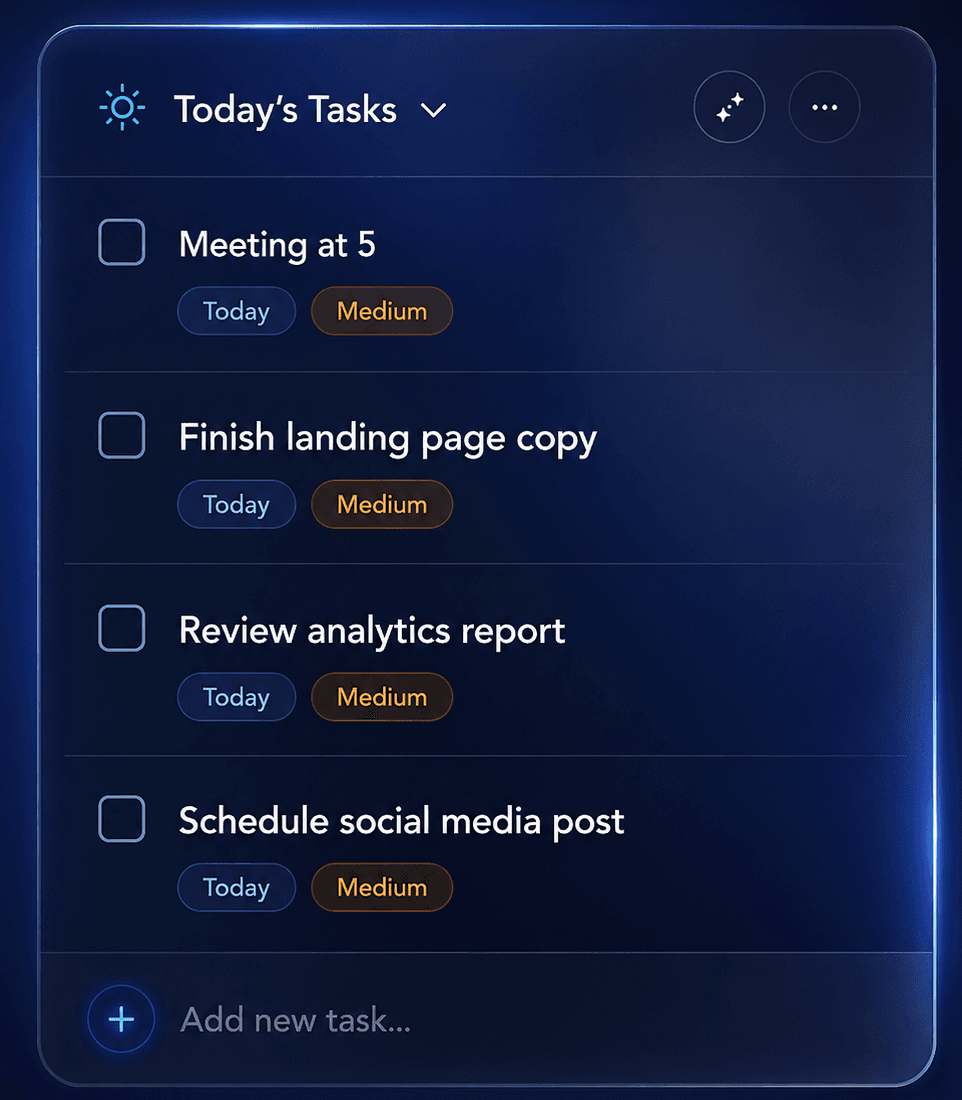
Today's Tasks sits on your New Tab — priorities, due dates, and a clear list of what still needs doing. Check items off as you go, then add the next one without leaving the page.
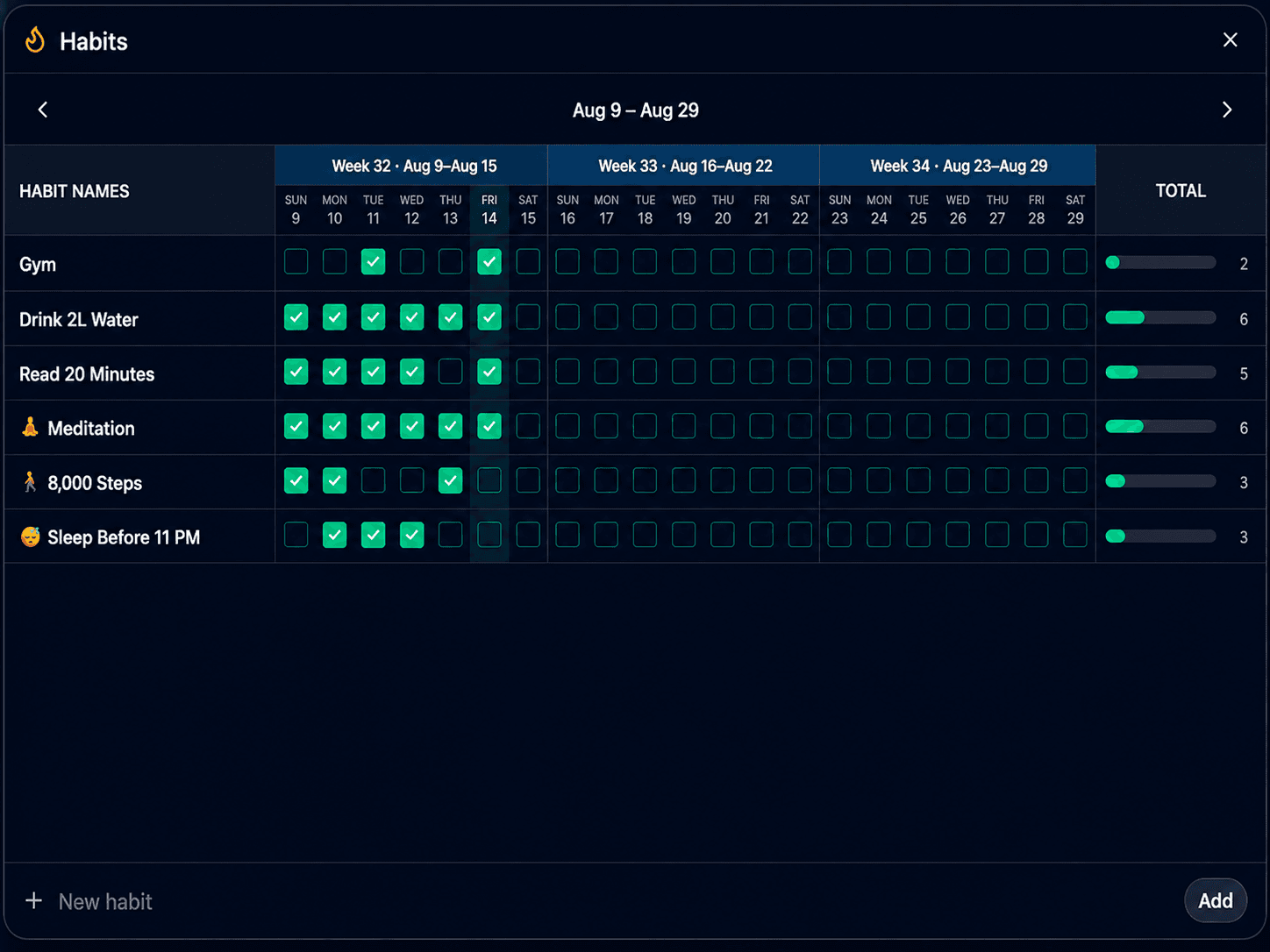
Track daily habits on a weekly grid — Gym, water, reading, sleep, and whatever else you want to keep. Check days off, watch totals climb, and open the panel from your New Tab whenever you need it.
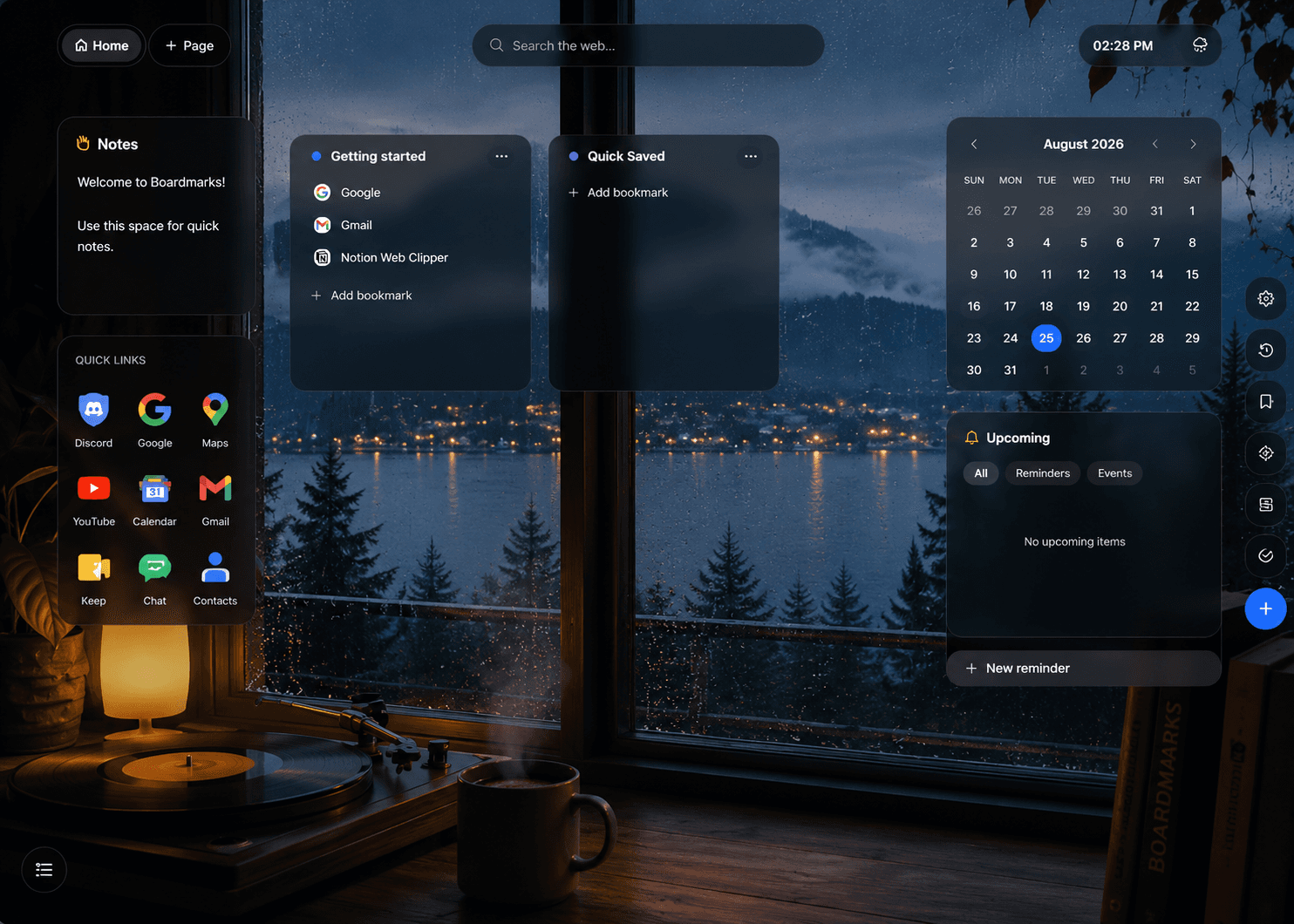
Tasks, habits, notes and your calendar live on the same New Tab as your boards. Opening a tab becomes the moment you check in on your day.
Inbox zero
17:00 · 30m
Plan what needs to get done, with Today and Upcoming views, priorities and due times.
Morning gym
07:00 · 30m
Build daily routines directly from your New Tab and watch the weekly grid fill in.
Dinner notes
19:30 · 1h
Keep quick thoughts where you'll actually see them — beside your boards, not in another app.
Visa appointment
11:50 · 1h
See your month at a glance and attach titled notes to the dates that matter.
Boardmarks stores your workspace locally in Chrome by default. We do not sell browsing data or use it for advertising. Google sign-in is only used to verify your trial or license.
Your boards, notes and reminders stay in Chrome storage on your device by default.
Boardmarks does not sell browsing behaviour and does not use it for advertising.
Blur or hide your workspace when someone else is looking at your screen.
Local-first
Stored on this device
Boards, notes and reminders stay in Chrome storage by default — no cloud upload required to use Boardmarks day to day.
Still deciding? Read the Boardmarks blog or get in touch.
Your bookmarks, tasks, habits, notes and reminders, waiting whenever you open Chrome.
Add Boardmarks to ChromeFree trial · no card required