Habits
Build Better Habits From Your Chrome New Tab
Boardmarks includes a Chrome New Tab habit tracker beside your bookmarks and todos — so building streaks does not require another app or another browser tab.
7-day free trial · No card required
Why habit apps fail — and how New Tab habits fix it
Dedicated habit apps work well for the first two weeks. Then the novelty fades, and opening a separate app to check habits starts to feel like another task rather than a trigger for good behavior. Studies on habit formation consistently show that habit tracking works best when the tracker is embedded in an existing behavior — something you already do every day without thinking. Opening a new tab in Chrome qualifies perfectly: most people do it dozens of times a day, and attaching a habit check to that existing action costs almost zero willpower.
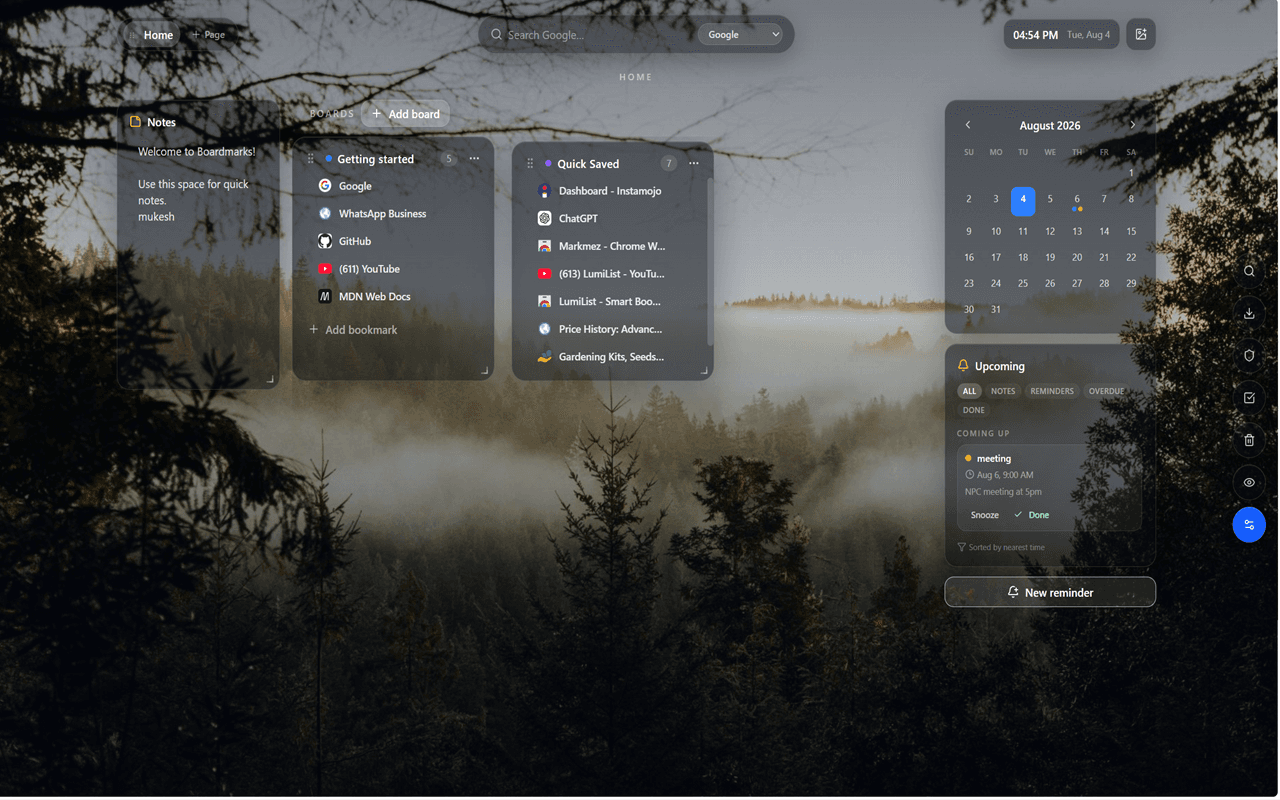
Boardmarks puts the habit tracker directly on your Chrome New Tab, alongside bookmarks and tasks you already look at. The habits are there when you open Chrome in the morning and there again at the end of the day when you close your last tab. No special intent required — the cue is already built into your day.
How habits work in Boardmarks
Add the habits you care about — reading, exercise, inbox zero, language practice, meditation, drinking water — and check them off as you go. Each habit gets its own row in a weekly grid. Checking a habit for today is a single click. The tracker shows this week's progress at a glance: which habits are on track, which ones you missed, and what your current streak looks like for each one.
Habits can be scheduled for specific days of the week. If you exercise Monday, Wednesday, and Friday, set the habit to those days only — missing Tuesday is not a streak break because Tuesday was never a scheduled day. This prevents the frustration of losing a streak over a rest day that was always part of the plan.
Weekly habit grid
The weekly check grid shows the current week as columns and each habit as a row. Completed days show a check; scheduled but missed days show a gap; non-scheduled days are blank. This layout gives you a quick visual read on your week without needing charts, graphs, or a detailed analytics dashboard. Momentum stays visible without opening a separate dashboard or scrolling through history.
At the right of each row you see two numbers: the current streak (consecutive completed days ending today) and the best streak ever achieved for that habit. Seeing the best streak next to the current streak creates a natural motivation to match or beat your personal record.
Streak logic that makes sense
Current streak counts consecutive completed scheduled days going backward from today, stopping at the first missed scheduled day. If today is not yet checked, the streak continues from yesterday. If the most recent scheduled day was missed, the streak resets to zero.
Best streak tracks the longest consecutive run ever achieved for that habit across all recorded history — it does not reset when the current streak breaks. This means your personal record is always visible as a reference point, even after a rough week. Future unchecked days never inflate either number; only completed past and present days count.
Example habits that fit a New Tab
- Morning review of todos — check the habit when you've looked at your task list for the day.
- Close leftover tabs after saving open tabs — a daily cleanup habit reduces browser bloat.
- Write a short note in New Tab notes — daily journaling or reflection captured in one place.
- Clear due reminders — a habit of addressing alerts before they accumulate.
- Daily exercise or movement — 30 minutes a day on weekdays.
- Language learning — a short daily session every morning.
- Reading — one chapter before starting work.
- Inbox zero — check email, respond, archive, done.
Why New Tab habits help
Habit apps fail when you forget to open them. A New Tab habit tracker rides along with browsing you already do. Because you are already looking at your workspace when you open a new tab, the cognitive overhead of "checking habits" drops to nearly zero — you see the grid, click a checkbox, and move on. The whole interaction takes five seconds. That frictionlessness is what makes it sustainable over weeks and months rather than just the first excited two weeks.
The New Tab context also helps because your workspace shows related items at the same moment. You check the exercise habit while you see your todos and bookmarks — so habits stay connected to the rest of your daily plans rather than living in a silo.
Habits + bookmarks + tasks
Habits work best next to the tools you already open. Boardmarks keeps habits, todos, and a visual bookmark manager in one workspace. A morning routine with Boardmarks might look like: open a new tab, check the habit tracker, review today's todo list, glance at the bookmark board for your current project, and start work — all in under two minutes, all from one page.
Explore the full Chrome New Tab productivity extension to see how habits fit into the complete workspace alongside notes, reminders, and customizable wallpapers.
Frequently asked questions
- Does Boardmarks include a habit tracker?
- Yes. Boardmarks includes a simple daily habit tracker on the New Tab with a weekly check grid and streak tracking.
- Do I need a separate habit app?
- Not for basic daily habits. Tracking sits next to bookmarks and todos so streaks stay visible when you open Chrome.
- How does habit tracking fit the New Tab workflow?
- Open a new tab, mark habits for the day, review todos, then jump into your bookmark boards — one start ritual.
- Can I set habits for specific days of the week?
- Yes. You can schedule each habit for specific weekdays — for example, exercise Monday, Wednesday, Friday only — and streaks are calculated based on your scheduled days.
- How are streaks calculated?
- Current streak counts consecutive completed days backward from today, stopping at the first missed scheduled day. Best streak shows the longest run ever achieved for that habit.
- Can I track multiple habits?
- Yes. Add as many habits as you want. Each habit appears as a row in the weekly grid with its own streak and best-streak counter.
Ready to try Boardmarks?
Install from the Chrome Web Store and start with a free 7-day trial. Pricing details are on our pricing page.
Add Boardmarks to Chrome — Free