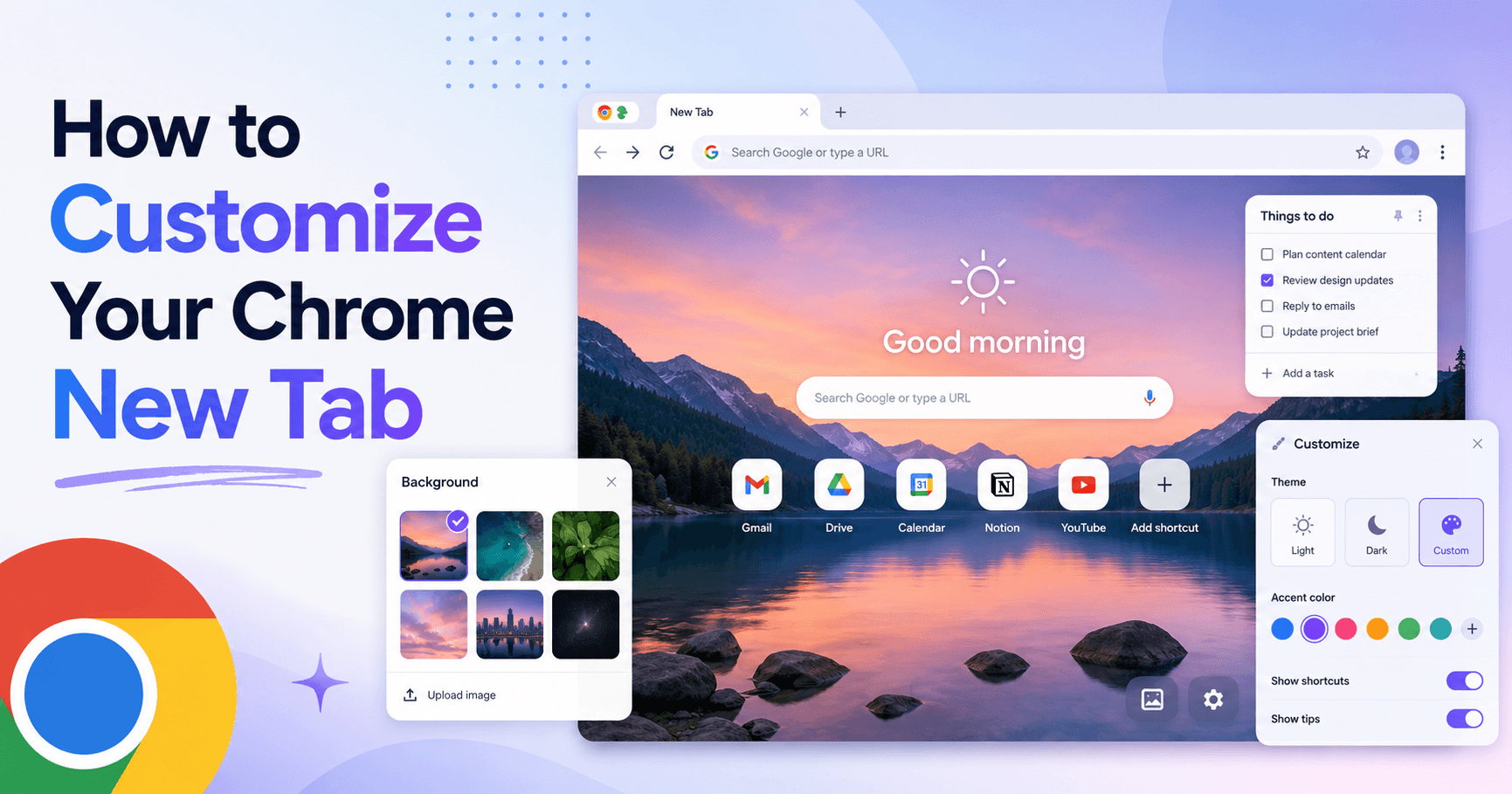
Chrome's default New Tab is a blank page with a search bar. That is functional, but it is not useful. The right New Tab extension turns that blank moment (something you encounter dozens of times a day) into a workspace, a focus prompt, or simply something that looks good. The best ways to customize your Chrome New Tab range from full productivity workspaces to minimal aesthetic start pages.
Favorite Chrome New Tab Extensions: The Short List
Pick the category that matches what you want from a New Tab, then look at the full review for your shortlisted extension below.
Productivity workspace
- Boardmarks: Visual bookmark boards, todos, habits, notes, reminders, and custom wallpapers on one New Tab.
- Manganum: Google Calendar and Tasks on the New Tab, ideal for users deep in Google Workspace.
Aesthetic and focus
- Momentum: Daily landscape photography, a focus prompt, and a minimal to-do list.
- Bonjourr: iOS-inspired minimal start page, cross-browser, completely free.
Minimalist and customizable
- Tabliss: Fully free, open source, drag-and-drop widgets, no account required.
- Infinity New Tab: Speed-dial grid with app icons and a widget dashboard, home-screen style.
Chrome New Tab Extensions Comparison
| Extension | Best for | Free plan | Price from | Platform |
|---|---|---|---|---|
| Boardmarks | visual bookmarks, todos, habits, notes, reminders, and custom wallpapers on every New Tab | Trial | 7-day free trial, then Pro plans | Chrome (all OS) |
| Momentum | a daily focus prompt, inspiring wallpaper, and a minimal to-do list | Yes | Free; Plus from $3.33/month | Chrome, Firefox, Edge |
| Tabliss | a fully customizable minimal New Tab with widgets, completely free | Yes, fully free | Free | Chrome, Firefox |
| Bonjourr | a beautiful minimal New Tab with strong privacy defaults and no account | Yes, fully free | Free (donate optional) | Chrome, Firefox, Edge, Safari |
| Infinity New Tab | a widget-rich dashboard New Tab with speed dials and app icons | Yes | Free; Pro from $1.99/month | Chrome |
| Manganum | a productivity-focused New Tab with Google Calendar and Tasks integration | Yes | Free; Pro from $4.99/month | Chrome |
How We Chose These Extensions
Every extension in this guide was evaluated against five criteria that separate genuinely useful New Tab experiences from ones that look interesting on the Chrome Web Store listing but feel like clutter after a week.
- Does it actually improve the New Tab? Not just change the background. The extension should make opening a tab faster, calmer, or more intentional.
- Is it fast to load? A New Tab extension that takes two seconds to render defeats its own purpose. All extensions here open quickly.
- Does it respect your data? We considered whether extensions send data externally by default, require sign-in, and whether the privacy policy is clear.
- Is there a usable free option? Most people will try before paying. We prioritised extensions with a meaningful free plan or trial.
- Does it stay useful after a month? A beautiful background gets ignored. Extensions that integrate with daily work habits or tools earn daily attention.
1. Boardmarks: Best Chrome New Tab for Productivity and Customization Combined
Price: 7-day free trial, then Pro plans · Best for: visual bookmarks, todos, habits, notes, reminders, and custom wallpapers on every New Tab
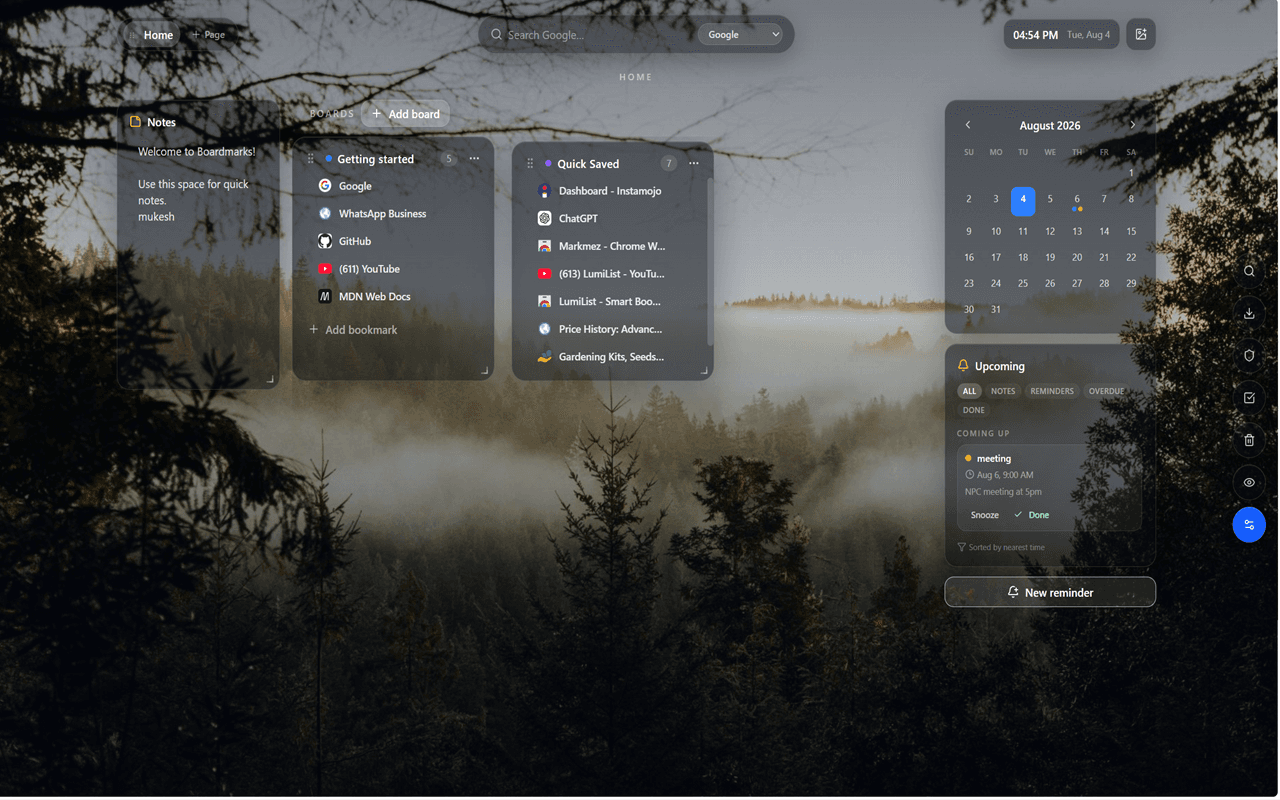
Most New Tab extensions make Chrome look nicer. Boardmarks makes Chrome work better. Boardmarks turns the New Tab page into a full productivity workspace: visual bookmark boards, Quick Save, save-all-tabs, a todo list, a habit tracker, scratch notes, calendar notes, and reminders, all visible the moment you open a new tab.
Customization is not an afterthought. You can set image, GIF, WebP, or video wallpapers behind a glass-style UI, choose from layout options, and optionally show a Google Apps launcher. Data stays in Chrome local storage by default, with optional cloud backup if you choose it. For anyone who wants a New Tab that is both beautiful and genuinely useful every day, Boardmarks is a strong pick on this list.
Key features
- Visual Pages and Boards for bookmarks instead of deep nested folders
- Quick Save and save-all-tabs from the toolbar popup
- Todos with due dates and priorities, habit tracker with streaks
- Scratch notes and calendar reminders on the same New Tab
- Custom wallpapers: image, GIF, WebP, or video backgrounds
- Optional Google Apps launcher and privacy mode
- Local-first Chrome storage with optional cloud backup
Pros
- ✓Combines bookmarks, tasks, habits, notes, and reminders in one tab
- ✓Custom wallpapers with glass-style UI that stays readable over any background
- ✓Local-first by default, with optional cloud backup
Cons
- ✗Chrome-only; not a cross-browser or mobile solution
- ✗Full productivity features require Pro after the 7-day trial
Verdict: Boardmarks is the right choice if you want your New Tab to replace multiple daily tools, not just look good. It combines visual bookmarks with habits, todos, and calendar reminders on the same page.
2. Momentum: Best for a Calm, Focused Start to the Day
Price: Free; Plus from $3.33/month · Best for: a daily focus prompt, inspiring wallpaper, and a minimal to-do list
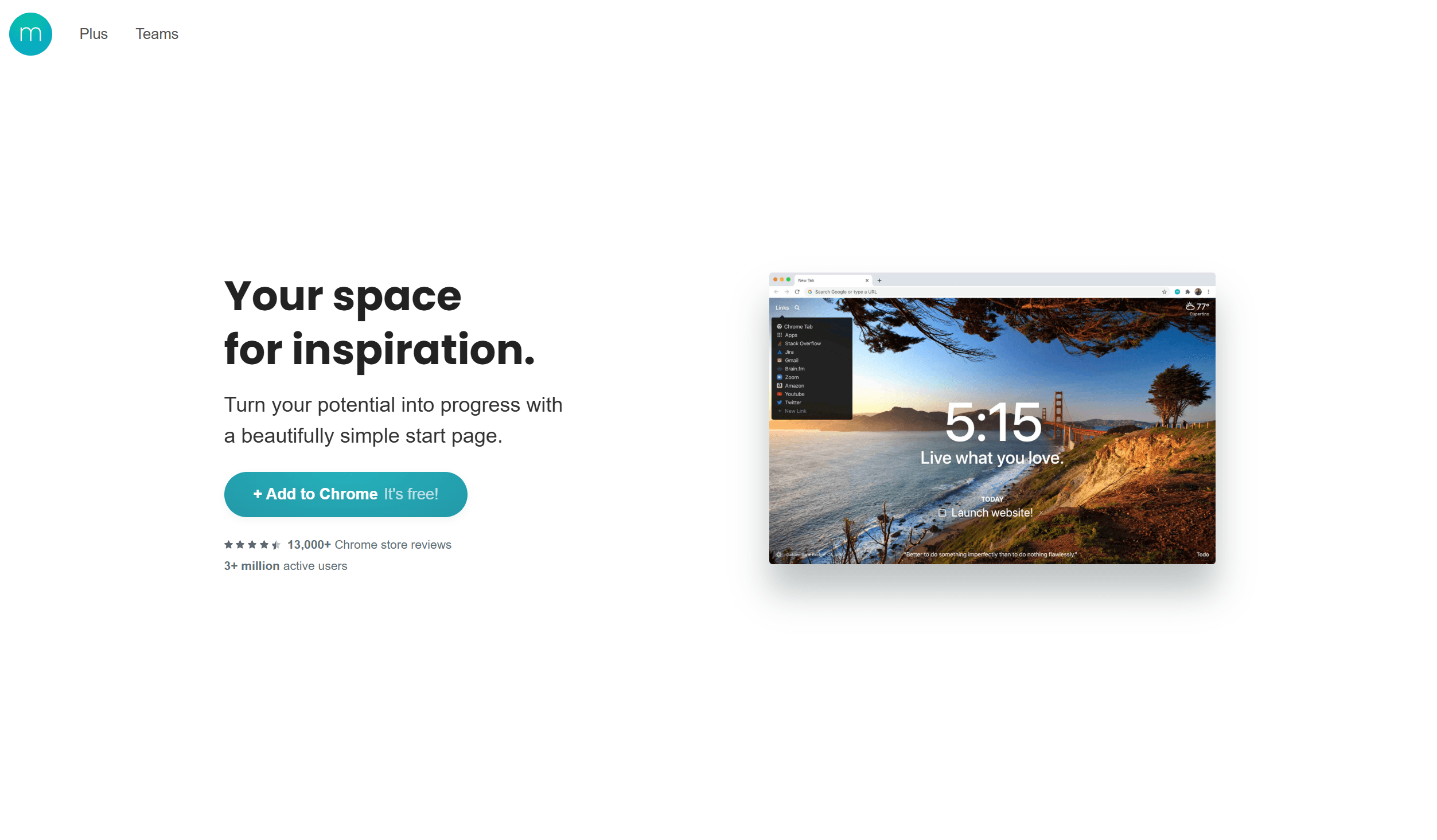
Momentum is one of the most recognized Chrome New Tab extensions, used by millions of people since 2014. Each day it loads a new high-quality landscape photograph as the background, displays the local time, greets you by name, and asks one question: "What is your main focus for today?"
The free plan delivers a strong aesthetic experience with a daily photo, clock, weather, and a simple to-do list. The Plus plan adds integrations with Todoist, Asana, and other task managers, more widget options, and a larger photo library. For users who want a New Tab that encourages intentional work without overwhelming them with features, Momentum is the most polished minimal option.
Key features
- Daily rotating landscape photography from professional photographers
- Daily focus question to set a single priority for the day
- Built-in to-do list with basic task management
- Weather widget, local time, and personal greeting
- Integrations with Todoist, Asana, and others on the Plus plan
Pros
- ✓Beautiful daily photography that makes every new tab feel intentional
- ✓Minimal and distraction-free by default
- ✓Strong free plan with weather, clock, focus, and to-do
Cons
- ✗Advanced integrations and widgets require the paid Plus plan
- ✗To-do list is basic, not a replacement for a dedicated task manager
Verdict: Momentum is the best choice if you want a calming, visually inspiring new tab that nudges you toward a single daily focus. If you need bookmarks, habits, or reminders, supplement it with a dedicated tool.
3. Tabliss: Best Free Minimalist New Tab Extension
Price: Free · Best for: a fully customizable minimal New Tab with widgets, completely free
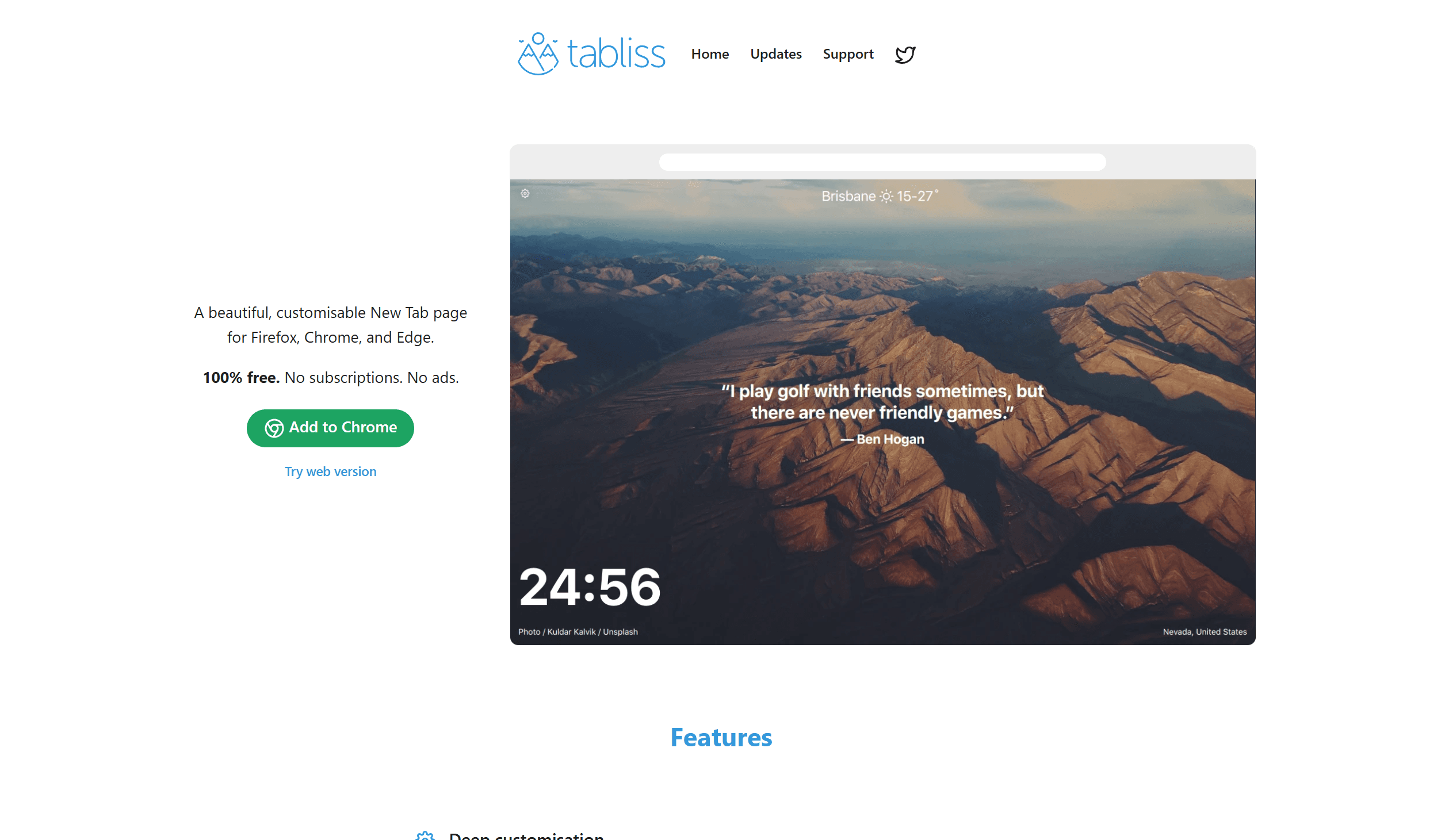
Tabliss takes a different approach: it is completely free, open source, and gives you full widget control without a paywall. You pick exactly which elements appear on your New Tab (clock, greeting, background, to-do list, weather, or a custom quote) and position them however you like.
Backgrounds can be a solid colour, a gradient, an Unsplash daily photo, or a local image. The extension is deliberately lightweight, with no accounts required and no data sent to external servers. For users who want a beautiful, customizable New Tab without any subscription or sign-up, Tabliss is hard to beat.
Key features
- Fully customizable widget layout: clock, weather, quote, to-do, notes
- Background options: solid colour, gradient, Unsplash feed, or local image
- No account required; all data stays local in the browser
- Open source and completely free with no paid tier
- Clean, distraction-free aesthetic by default
Pros
- ✓Completely free with no paywalled features
- ✓Highly customizable layout with drag-and-drop widgets
- ✓Privacy-friendly: no sign-up and no external data sending
Cons
- ✗No cross-device sync for settings or data
- ✗Fewer pre-built integrations than paid alternatives
Verdict: Tabliss is the best free option for users who want full widget control without paying. If you need cross-device sync or deeper integrations, look at Momentum Plus or Boardmarks.
4. Bonjourr: Best for a Polished Aesthetic with Privacy Focus
Price: Free (donate optional) · Best for: a beautiful minimal New Tab with strong privacy defaults and no account
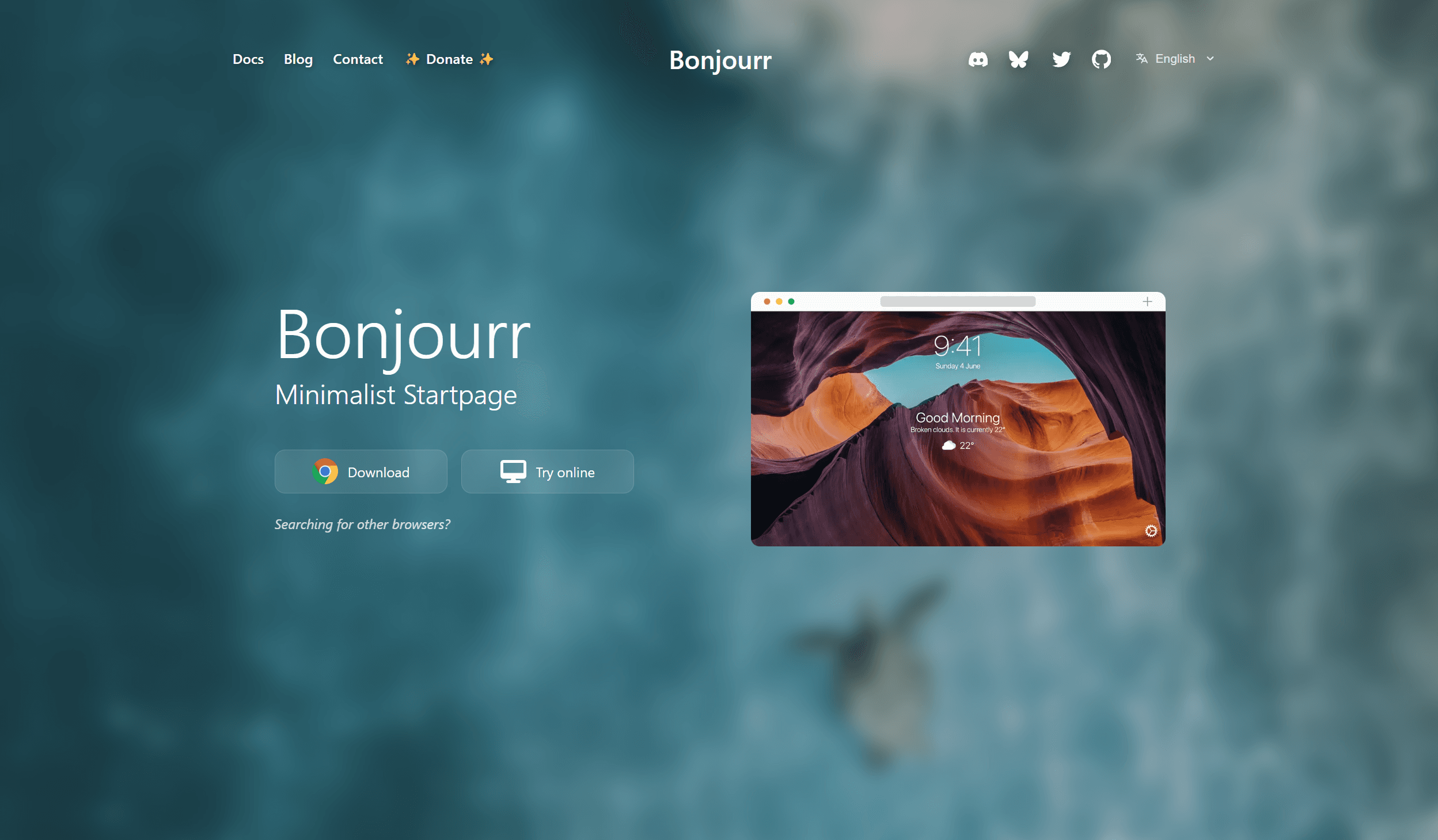
Bonjourr describes itself as a "lightly modish minimalist startpage." It is inspired by iOS aesthetics: clean typography, smooth animations, and beautiful rotating photos sourced from Unsplash. Like Tabliss, it is open source, free, and requires no account.
It works across Chrome, Firefox, Edge, and Safari, making it one of the few truly cross-browser New Tab extensions. Bonjourr includes a clock, greeting, weather, quick links, and a simple to-do list. Settings are minimal and the extension is designed to feel calm and intentional rather than feature-rich.
Key features
- Rotating Unsplash photography with smooth transitions
- Clock, greeting, weather, and quick links out of the box
- Simple to-do list for lightweight task capture
- Cross-browser: Chrome, Firefox, Edge, and Safari
- No account required; open source with optional donation
Pros
- ✓Works across all major browsers including Safari
- ✓Fully free and open source with no paywalled features
- ✓Refined aesthetic with smooth animations and iOS-style typography
Cons
- ✗Primarily aesthetic; limited productivity tools beyond a basic to-do list
- ✗No cross-device settings sync without manual export
Verdict: Bonjourr is ideal for users who want a refined, calm start page without any complexity or cost. If you primarily use Chrome and need productivity tools on the same page, Boardmarks covers more ground.
5. Infinity New Tab: Best for a Widget Dashboard New Tab Experience
Price: Free; Pro from $1.99/month · Best for: a widget-rich dashboard New Tab with speed dials and app icons
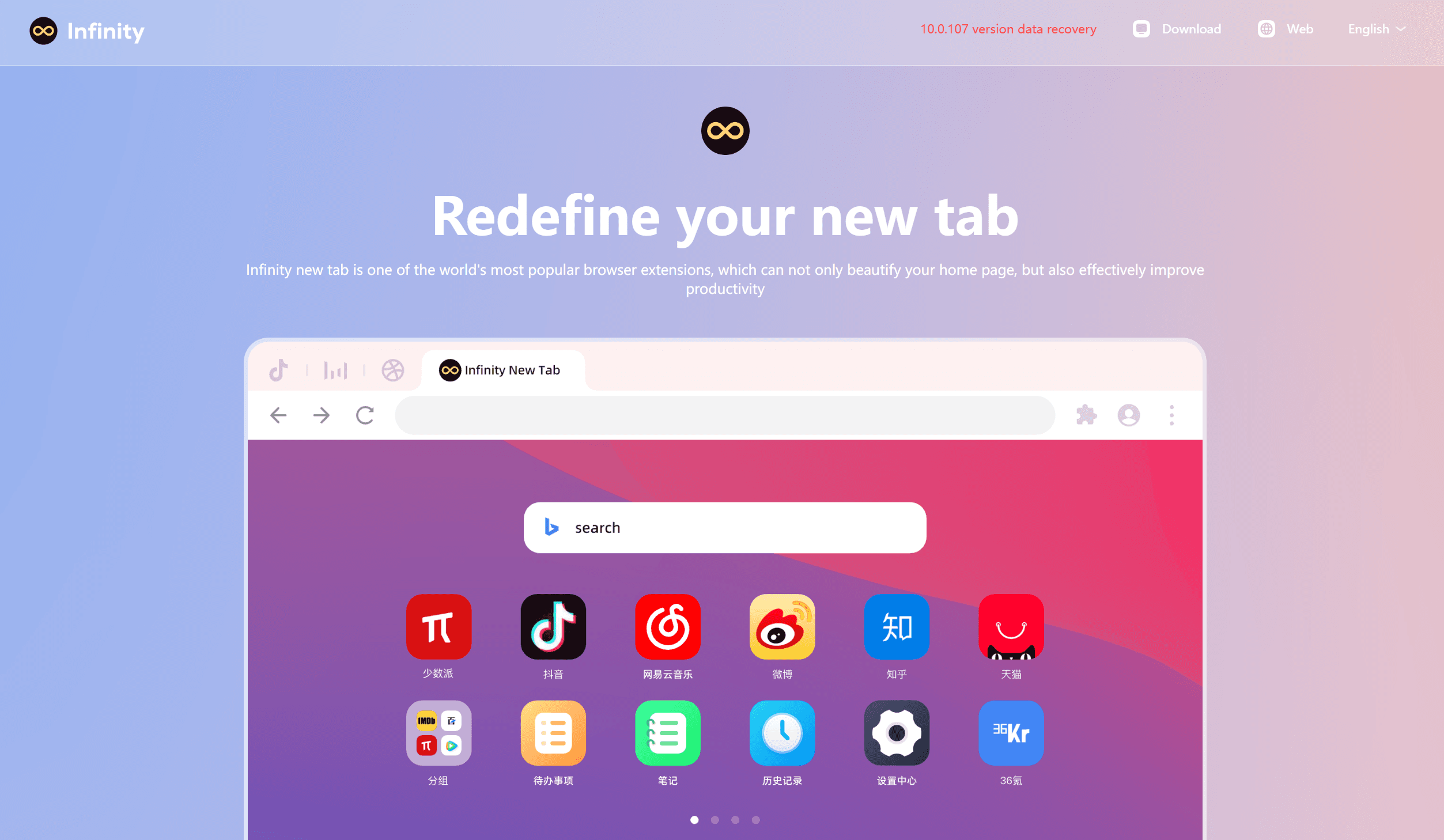
Infinity New Tab takes a dashboard-first approach. Instead of a minimal start page, you get a grid of configurable app icons, speed dials, and widgets, similar to a mobile home screen inside Chrome. You can add shortcuts to your most-used sites, weather, todo items, and notes, all arranged in a customizable grid layout.
The background can be a daily Bing or Unsplash photo or a custom image. The free plan covers the core experience; the Pro plan unlocks more themes, custom icons, and additional widget options. For users who prefer quick-launch icons and a busy dashboard over a minimal aesthetic, Infinity New Tab is the most capable option in that style.
Key features
- Configurable grid of speed dials with custom site icons
- Widgets for weather, todo, notes, bookmarks, and more
- Daily photo backgrounds from Unsplash or Bing
- Custom themes and icon packs on the Pro plan
- Search bar with choice of search engine
Pros
- ✓Highly visual speed-dial layout for quick site access
- ✓Large widget library for building a personal dashboard
- ✓Strong free plan with core grid and widgets included
Cons
- ✗Dashboard style can feel busy compared to minimal alternatives
- ✗Best features require the Pro subscription
Verdict: Infinity New Tab is best for users who want a home-screen-style New Tab with visual site shortcuts. If you want a cleaner layout that also tracks todos and habits, Boardmarks is a more focused choice.
6. Manganum: Best for a Side-Panel New Tab with Google Integration
Price: Free; Pro from $4.99/month · Best for: a productivity-focused New Tab with Google Calendar and Tasks integration
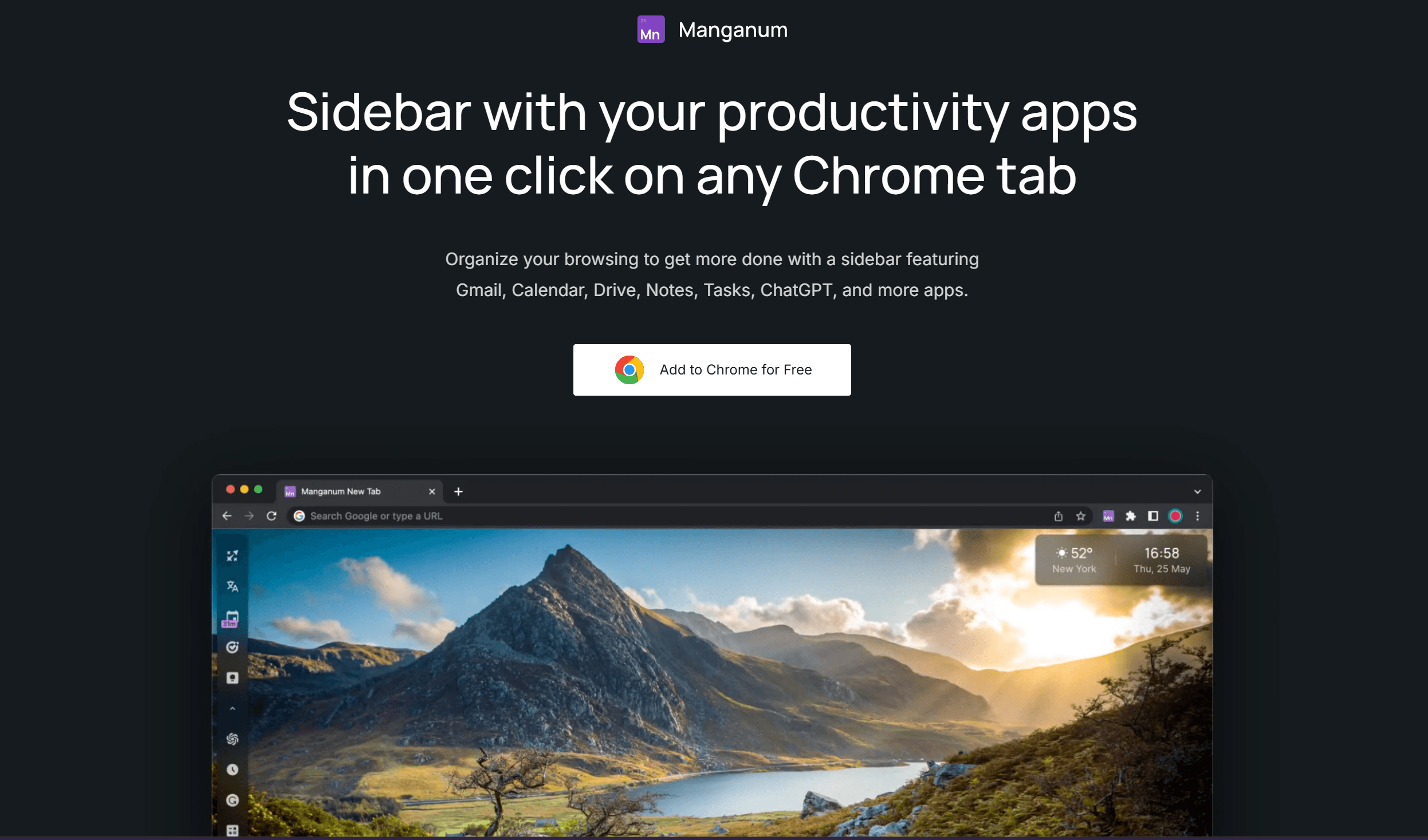
Manganum focuses on integrating your existing Google Workspace into the New Tab rather than replacing it. Opening a new tab reveals your Google Calendar events, Google Tasks, and bookmarks in a sidebar panel alongside a full-width background image.
For users already deep in the Google ecosystem (Gmail, Google Calendar, Google Tasks), Manganum is a fast way to surface that information without opening extra tabs. It requires a Google account sign-in, which means your data syncs across devices automatically. The Pro plan unlocks additional widgets and customization options beyond the core Google integrations.
Key features
- Google Calendar events visible directly on the New Tab
- Google Tasks integration for quick task view and add
- Bookmarks panel with search and folder navigation
- Full-width background images with clock and greeting
- Cross-device sync via Google account
Pros
- ✓Surfaces Google Calendar and Tasks without opening extra tabs
- ✓Cross-device sync via Google account; works anywhere you use Chrome
- ✓Good free tier for users already in Google Workspace
Cons
- ✗Requires Google sign-in; not suitable for users avoiding Google data sharing
- ✗Advanced widgets and customization need the Pro plan
Verdict: Manganum is the right pick for users who live in Google Calendar and Tasks and want that data on every new tab. If you want a local-first workspace that does not require a Google account, Boardmarks is a better fit.
How to Choose the Right Chrome New Tab Extension
The best Chrome New Tab extension is the one you stop noticing because it fits your day perfectly. Match your choice to what you actually want from that blank moment:
- You want bookmarks, todos, habits, and reminders on every tab: Boardmarks
- You want a calm, beautiful start-of-day experience: Momentum
- You want full customization at zero cost, no account: Tabliss
- You want a minimal aesthetic across every browser including Safari: Bonjourr
- You want a home-screen grid of site shortcuts: Infinity New Tab
- You want Google Calendar and Tasks surfaced on each tab: Manganum
Install one extension, use it for a week, and decide. Most of these are free to try. Avoid installing multiple New Tab extensions. Only one can control the New Tab page at a time.
Add Boardmarks to ChromeFrequently Asked Questions
- What is the best way to customize your Chrome New Tab?
- Install a New Tab extension from the Chrome Web Store. The best choice depends on your goal: Boardmarks for a productivity workspace with bookmarks, todos, habits, and reminders; Momentum for a minimal focus prompt and weather; Tabliss or Bonjourr for a clean aesthetic with a clock and wallpaper; Infinity New Tab or Manganum for a widget-heavy dashboard.
- Can I customize Chrome New Tab without an extension?
- Slightly. Chrome allows you to set a background image on the default New Tab page via the "Customize Chrome" panel. You can also add shortcut icons for frequently visited sites. However, this built-in customization does not support todos, reminders, notes, habit tracking, or visual bookmark boards. Those require an extension.
- Is Boardmarks free?
- Boardmarks offers a 7-day free trial with full access to all features. After the trial, a Pro plan is required for continued use. The trial is enough time to decide whether the workspace fits your daily workflow.
- Will a New Tab extension slow down Chrome?
- A well-built New Tab extension has minimal performance impact because it only activates when you open a new tab. Boardmarks uses Manifest V3 and stores data locally by default, so there are no heavy external network requests on each open. Extensions that load many third-party widgets or external APIs on every new tab can be slower.
- Can I use a custom wallpaper with a New Tab extension?
- Most New Tab extensions support custom wallpapers. Boardmarks accepts image, GIF, WebP, and video backgrounds. Momentum, Tabliss, Bonjourr, and Infinity New Tab also support custom images or daily rotating photo feeds from Unsplash.
- What is the difference between Momentum and Boardmarks?
- Momentum focuses on a calming start-of-day experience: a daily focus prompt, weather, and an inspiring background. Boardmarks is a full productivity workspace: visual bookmark boards, todos, habits, notes, calendar reminders, and custom wallpapers on the same page. Momentum is better for a minimal aesthetic start page; Boardmarks is better if you want your New Tab to replace multiple daily tools.
- Do Chrome New Tab extensions work on all operating systems?
- Yes. Chrome extensions run on Chrome for Windows, Mac, and Linux. All six extensions in this guide work on any desktop OS that runs Chrome. Mobile Chrome does not support extensions.
- Can I have bookmarks on my Chrome New Tab?
- The default Chrome New Tab page shows a row of frequently visited sites but does not display your full bookmark library. Boardmarks adds visual bookmark boards directly on the New Tab page, letting you organise links into named boards and pages. Manganum also has a bookmarks panel as one of its optional widgets.
- What Chrome New Tab extension is best for productivity?
- Boardmarks is built specifically for daily productivity: it combines visual bookmark boards, Quick Save, save-all-tabs, todos with priorities, a habit tracker, scratch notes, calendar notes, and reminders on the Chrome New Tab you already open throughout the day. For a lighter productivity layer, Momentum adds a daily focus prompt and to-do list to an aesthetic start page.
- Is there a New Tab extension that shows todos and habits?
- Boardmarks includes a todo list with due dates and priorities, a habit tracker with streaks, and calendar reminders on the New Tab page. Most other New Tab extensions in this guide focus on aesthetics, a single to-do list, or widget dashboards rather than a combined task and habit system.
Final Thoughts
Chrome's New Tab is one of the most visited pages in your browser, often opened hundreds of times a week without a second thought. A good New Tab extension turns that habit into something useful: a reminder of your daily focus, a fast path to your most-used sites, or a workspace that keeps bookmarks, tasks, and habits always in view.
If you want the simplest improvement, any extension on this list is better than the default blank page. If you want your New Tab to replace a separate task app, bookmark manager, and habit tracker, start with Boardmarks and evaluate it during the free trial.
Add Boardmarks to ChromeRelated
Chrome New Tab extension
Organize bookmarks, todos, and habits on every New Tab.
- Visual bookmark boards
- Todos, habits, notes, reminders
- Local-first by default
7-day free trial. No card required.